
Cash Count Calculator
Tally notes and coins across 40 currencies, get an exact running total.
Count Sheet
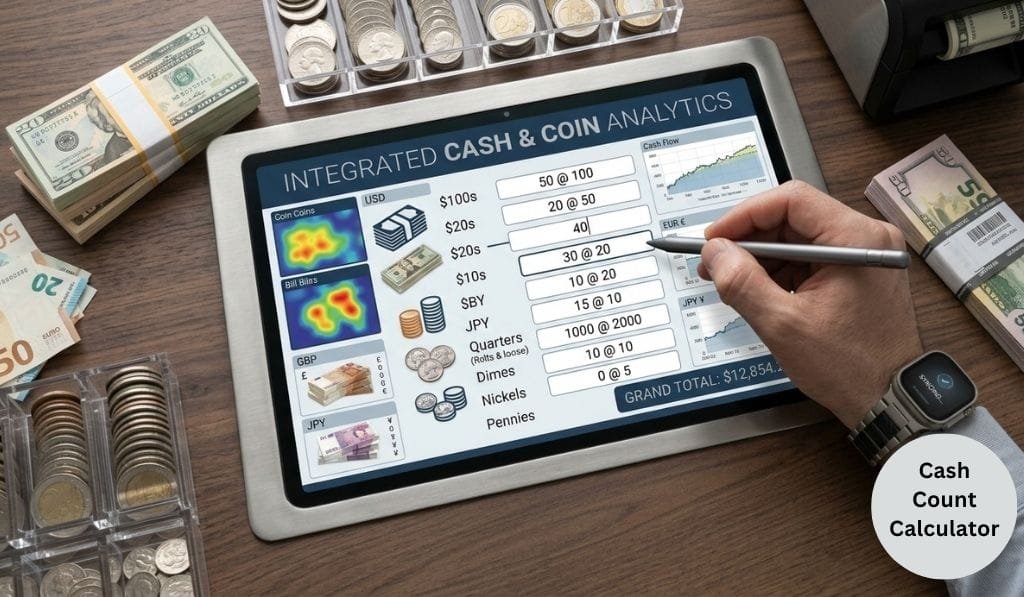
Cash Count Calculator: Count Bills & Coins Fast
Using a Cash Count Calculator simplifies the task of counting cash and turns a pile of money into an exact count in seconds. The denominations are added automatically, rather than manually, and you enter how many bills and coins of each type you have, and the tool does the calculation.
What Is a Cash Count Calculator?
A cash count calculator is an online calculator that will multiply the number of each denomination ($100 to pennies) by its face value and sum them all to arrive at a grand total. It essentially is a more intelligent money counter calculator, that is designed specifically for physical money and not digital transactions.
People that work with a cash drawer, such as cashiers, small business owners, bookkeepers, and others use this kind of tool on a regular basis. It eliminates the human error that can get in the way when trying to mentally count out stacks of twenties, rolls of quarters, and quarters that have fallen out of their pocket.
How to Use a Cash Count Calculator
Whether it is counting the cash in a register for closing out or counting your own savings jar, it is easy to use a cash counter:
- Separate your cash bills and coins by denomination into piles ($100, $50, $20, $10, $5, $1, quarters, dimes, nickels and pennies).
- Count each stack and write the number of bills or coins in each stack.
- Fill in the numbers in the cash count calculator fields.
- The tool called calculate multiplies denomination × value, and adds them together.
- Look at the breakdown which most tools display, and then look at a grand total.
This also applies to any till counter, register calculator or general cash drawer calculator as the maths is the same.
How to Count Money by Hand
If you want to understand what a cash count calculator is doing behind the scenes, here’s the manual denomination method used by banks and retailers:
|
Denomination |
Count |
Value Each |
Subtotal |
|
$100 bill |
e.g. 2 |
$100.00 |
$200.00 |
|
$20 bill |
e.g. 5 |
$20.00 |
$100.00 |
|
$10 bill |
e.g. 3 |
$10.00 |
$30.00 |
|
$5 bill |
e.g. 4 |
$5.00 |
$20.00 |
|
$1 bill |
e.g. 12 |
$1.00 |
$12.00 |
|
Quarter |
e.g. 20 |
$0.25 |
$5.00 |
|
Dime |
e.g. 15 |
$0.10 |
$1.50 |
|
Nickel |
e.g. 10 |
$0.05 |
$0.50 |
|
Penny |
e.g. 25 |
$0.01 |
$0.25 |
|
Total |
$369.25 |
This is the exact logic a coin calculator or bill counter calculator automates for you — no mental math, no missed rows.
Cash Count Calculator vs. Manual Counting
|
Factor |
Cash Count Calculator |
Manual Counting |
|
Speed |
Seconds |
Several minutes |
|
Accuracy |
Eliminates arithmetic errors |
Prone to human mistakes |
|
Reusability |
Save/print totals |
Must redo each time |
|
Best for |
Cash registers, tills, audits |
One-off, very small counts |
|
Learning value |
Shows breakdown by denomination |
Builds mental math skills |
Common Uses for a Cash Count Calculator
- Retail and hospitality reconciling a cash register counter at the beginning or end of a shift.
- Petty cash management using a petty cash calculator approach to manage petty cash in the small office.
- Money handling checking out deposits before depositing.
- Personal finance uses a quick change counter online to count coins in a coin jar, spare change in a piggy bank or change in your pocket.
- Students and cashier training Counting money and taking accurate counts before being on the money counter at the actual cashier stand.
- Totaling donation boxes or ticket sales is a quick and easy way to use a simple money math tool.
Tips for Accurate Cash Counting
- Double check a second time, once when sorting and once when inputting numbers into your cash count calculator.
- Roll coins separately to match bank roll standards with your coin counter.
- Bill face up and on the same side to prevent recounting the same stack of bills.
- To develop a good habit with a cash drawer counter, count the bills first then the coins in the same order (largest to smallest).
- Always verify the number of cash you have with your cash counting calculator to prevent discrepancies at an early stage with your POS/report sheet.
- Print or Save your count, it is great to have for an audit, shift handoff or petty cash log.
A reliable cash count calculator can be your lifesaver, whether you’re a new cashier, or a manager who needs to audit a cash drawer, it will convert a tedious task into a 30-second operation, and with a lot less paper counting than you will ever find.
FAQs
Q1: The best way to count cash is to count swiftly and accurately.
Group bills and coins by denomination and count each group only once and automatically add the totals by denomination with a cash count calculator rather than adding by hand one after another.
Q2: What are the differences between a cash counter and coin counter?
A cash counter will add up bills and coins, and a coin counter or coin counter calculator will add up coins and translate them into dollars.
Q3: Does a cash count calculator count rolled coins?
Yes, most of the tools allow you to add the value of rolled/bagged coins as a set amount (e.g., a roll of quarters is valued at $10) as well as the loose coins and bills that belong to the combination.
Q4: Can a calculator that takes in cash be used to do a cash count accurately for register reconciliation?
Yes. It eliminates arithmetic errors that can cause over/short discrepancies when cash is counted manually, where the arithmetic errors occur in the multiplication of exact quantities by fixed face values.
Q5: Do I have to install an App to use a Cash Count Calculator?
There are no cash count calculators available which you can use in your browser without downloading, and using them is quicker than a cash counting app for one-time counts.